

The Brief
This article teaches you how to check whether your phone supports 5G, how to see which antennas it’s using, and what 5G means for EMF exposure in real-world use—plus practical tips to reduce radiation from both 5G and older networks without giving up your smartphone.
Key Takeaways
• You’ll learn how to check phone specs and settings to see if your device is 5G-capable and whether 5G is enabled.
• The article explains the difference between 5G, 4G/LTE and WiFi, and when each one is actually active.
• You’ll see why 5G doesn’t erase concerns about distance, call length and where you keep your phone.
• Practical steps include turning off unused antennas, using airplane mode, and relying on wired internet when you can.
• The guide puts 5G into context with other EMF sources, helping you prioritize what matters most.
There's real 5G and then there's 5G that doesn't use MIMO or mmWave. If you See 5G+ or 5G displayed on your phone, you're getting a true 5G connection with HIGHER EMF exposure.
Because AT&T and other big telecom have been declaring "5G" for years and even displaying the 5G E icon next to your smartphone bars you may have thought your phone had been a 5G phone since 2019, but actually it wasn't.
Anything with another letter after 5G is just marketing. Not 5G antenna technology
The 5G E in the photo below means its 5G evolution, not 5G millimeter waves.

Starting iPhone 12 and up, your phone can use the 5G spectrum which means you will be exposed to Higher EMF
True 5G phones can expose you to more EMF in two ways:
1. The Millimeter Wave.
The millimeter wave or mmWave uses the higher spectrum waves past 6 gigahertz and going all the way to 300 gigahertz.
Antenna's and transmitters t receive and send the dreaded mmWave which uses this whole new section of the EMF spectrum, that until now was only used in Airport Scanners.(yep, the ones we opt out of)
Your body is exposed to a different kind of wave than you've probably ever been exposed to before. The mmWave broadcasts at higher frequency than cell, WiFi or Bluetooth signals.
Later in this article we'll show you how to disable the 5G mmWave function and show you newer phones that don't have it.
Imagine x-rays vs WiFi signal: Those are both on the EMF radio frequency band, but they effect our bodies differently when we're exposed to them.
2. MIMO Technology
MIMO is short for Multiple-input and multiple-output. Like the name says, MIMO means more. MIMO is an antenna technology where multiple antennas are used on towers and in devices. In the best case scenario this technology connects 4 networks at once while some phones have MIMO that has 2 connections at once, the idea is that more connection antenna's result in the fastest connections.
The bad news is that it pings or sends out EMF all the time. That's not good for our bodies and that's why I see levels increase on my meters with the newer phones that have it. Why does it ping?
- So it can maintain Beam accuracy.5G Massive MIMO has focused "beams" that send signal in a specific direction- right to the closest tower, so your phone is always looking for that closest connection.
- Dual-Connectivity (NSA 5G): The two or more networks at once: means double or quadruple the signaling pings compared to an LTE-only phone(iPhone 11 yay!)
- Background Optimization: Your smartphone wants to refresh every app all the time. They update your location for the "Find My" network, check for the fastest available frequency and as they do, they ping radiation.
- Searching for Better Signal: 5G signals (especially the mmWave) are easily blocked by walls or trees. When that 5G signal gets weak, the phone pings more aggressively to find a better connection
Each ping comes with pulses. A "frequent and intense" pulse profile means your body is receiving more hits of peak energy per second The pulses can go from constant and moderate to intense and bold with the newest phones. Imagine that pulses as punches to the cells in your body. Ouch.
You Can Choose Not To Use So Much of the MIMO and I'll show you how below.
Research even proves LTE (4G) typically results in lower electromagnetic field (EMF) exposure when people choose it compared to 5G mmWave systems, which can produce significantly higher peak power. There's a great analyis of this full study in the ScienceDirect paper and related analyses on EHT's website
So, all smartphones have WiFi antenna, Bluetooth antenna and cell signal antenna. Each antenna exposes you to a different frequency on the Electromagnetic Frequency Spectrum. Only the iPhone 11 has no mmWave transmitter along with no 4x4 Mimo. It uses 2 X MIMO, which is till MIMO, but results in less EMF Radiation to your body.
This iPhone 11 is the Last and Latest iPhone WITHOUT the 5g millimeter wave antenna! It has ZERO mmWave EMF exposure ❤️ And lower amount of MIMO!

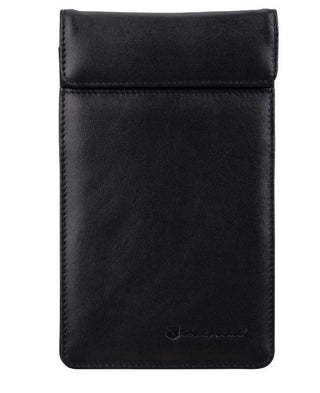
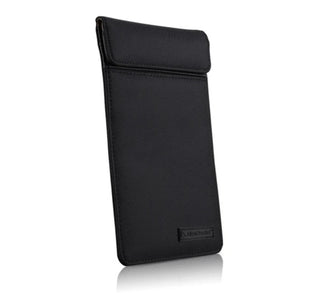
All Cellphones Are Safer in a Signal Blocking Faraday Bag

Here's How To Know If Your Phone or Tablet Has The 5G Millimeter Wave Antenna, MIMO and Pings

For any other device Check The Specs:
- Go to the specifications section of the product page of your phone. On most smartphones this will be under the "About" page in your settings.
- Look for the Connectivity Band, RF or Cellular detail
- If you see mmWave listed then it contains a 5G millimeter wave antenna
- If you see bands n257, n258, n259, n260, n261,n262 it has a millmeter wave antenna
iPhone SCE and Iphone 16E and 17E do Not Have The mmWave Antenna!
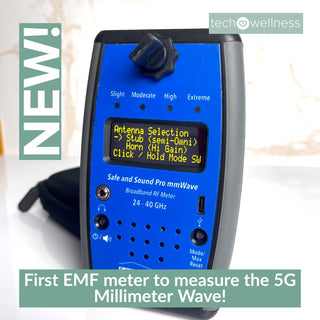
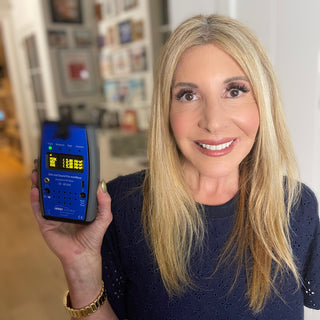
This is the 1st 5G mmWave meter that is available to the public!

The 5G MmWave Antenna is Always In The Phone, But Apple Has Allowed the Ability To Turn Off The 5G Millimeter Wave.
You can disable the 5G millimeter wave antenna from sending or receiving the mmWave signal. Apparently Apple was concerned that using the full 5G capabilities on the iPhone 12 would drain the battery too quickly so it allowed this option in the operating system software and which let users to turn it off.
We don't know if this capability will remain in place for later iOS updates. The fact remains that the millimeter wave antennas will remain in the phones. There are NO 5G mmWave antennas in iPhone 11 or earlier.
Here's How To Disable 5G mmWave Receiving on iPhone and Reduce MIMO EMF Exposure
- Go To Settings
- Select "Cellular"
- Select "Cellular Data Options"
- Select "Voice & Data"
- Choose LTE (this disables the receiver from allowing data through the 5G millimeter wave)
- Hit the back arrow to go back to "Cellular Data Options"
- Select "Data Mode"
- Choose "Standard" or "Low Data Mode"
Again, once the 5G antenna is in the phone, the software will control if the antenna is sending or receiving the new high frequency EMF.
And TURN OFF Background App Refresh on all your Apps!
And that includes the nasty-always on Find My Network. As you'll read here, this setting keeps your phone ON AND TRACKING YOUR EVERY MOVE even when it's Completely Powered Off!!
| Setting to Change | Result | |
|---|---|---|
| Stop 5G MIMO | Set Voice & Data to LTE | Disables high-frequency 5G antenna arrays. |
| Reduce RF Spikes | Enable Low Data Mode | Limits background data "pings" to the tower. |
| Stop Background RF | Disable Find My Network And Background Refresh | Stops silent location pings to other Apple devices. |
[This graph was created by Gadget Hacks]

I like the clarity of this graph showing all the different radio frequency ranges that the telecom industry has labeled as 5G. Our 5G Guide explains how the industry actually combined and blasted our environment with more and more radio waves all under the label of "5G". But the "promise" and original reason for 5G was devices and antennas that utilized the mmWave.
- 3G and 4G cell signals use 800 to 1800 Mhz
- Bluetooth operates in the 2.4 Ghz frequency
- WiFi uses 2.4 GHz and 5.8 GHz
Some people think that they have 5G WiFi router when they see that 5.8 GHz on their router. Nope, that's not true 5G. It has to use 24 GHz or higher frequency range, where the millimeter wave lives to be 5G.
Our 5G guide goes into detail on how the millimeter wave moves differently and the potential health effects.
The 5G Guide also goes through why the men (honestly almost exclusively male decision makers) thought that expanding our wireless exposures to an even higher frequency waveform was even necessary. This is especially poignant now that many tech reporters are balking at the performance of 5G mmWave's - but that hasn't stopped the industry from putting this new 5G EMF in phones and laptops and blasting from the antenna on our streets.
If you want to save your body from a phone that exposes you to the 5G mmWave, stay away from new smartphones.

If you have the iPhone 12 or above, your phone has the 5G mmWave Antenna
Archit Razdan, Semiconductor Reverse Engineer at UnitedLex Corporation, found two nasty little 5G mmWave antenna's or transceivers when he did a tear down of the iPhone:

He believes that Apple's iPhone 12 mmWave antenna only sends out the millimeter wave when it's necessary with Apples Smart Data Mode. Razdan said,
"I believe Apple tweaks the working of the mmWave antenna using software in order for it to send mmWave signals only when 5G speeds are required and for all other times the phone switches to LTE."

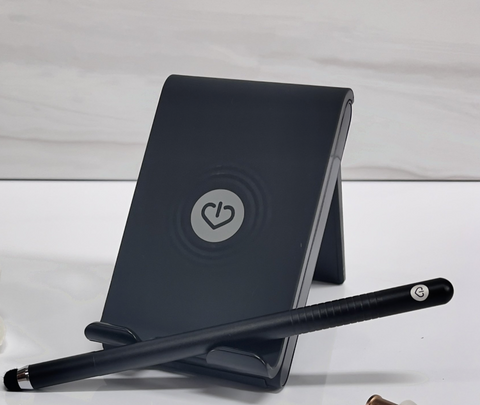
The Fat Grip Stylus•The Soft Touch Stand•The Safertech Headphones

We're not sure if the 5G mmWave connection in all Androids is always on and broadcasting the millimmeter wave when there is a 5G mmWave antenna nearby, but we do know that Samsung and Googe Pixel have options in settings, just like Apple, to disable using the 5G MmWave in order to save battery.
How To Disable 5G MmWave Receiving On Android Phones:
Samsung Galaxy Phones:
- Go to Settings
- Select Connections
- Select Mobile Networks
- Select Network mode
- Choose from connection options (including 5G)
- Tap 4G LTE
Google Pixel 5:
- Go to Settings
- Choose Network and Internet
- Choose Mobile Networks
- Choose Preferred Network Type (You should see both 5G and 4G LTE and perhaps 3G and 2G as options)
- Choose any LTE
Is the mmWave harmful to health?
Well, it is a radio frequency EMF and technically it sits above WiFi, microwave ovens, and cellphone signals, but below infrared radiation, and there have not been any real world studies on humans exposed to the information (data carrying high frequency millimeter waves). But still, scientists are using generated signals in controlled environments to study what happens when other living things are exposed to the signal alone. Others are warning that the Precautionary Principle should be exercised. It has not been by the way. You can see our research section for study details.
The 5G mmWave Means More Tech For Our Tech!
Protecting Your Body From 5G Waves.
The most important thing is to avoid buying devices that emit the 5G millimeter EMF. If you're getting a tablet, laptop, or phone, check the Specifications on the product page before you buy. You can also come back here! We'll update this article has we discover more millimeter equipped tech.
With extra-long wires, our best selling air tube headsets create plenty of distance to help keep you protected from EMF!

Distance Is Your Friend
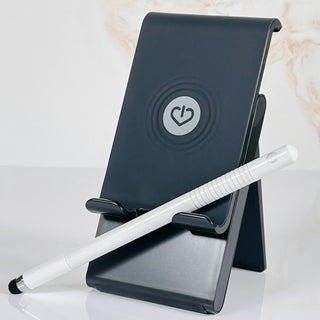
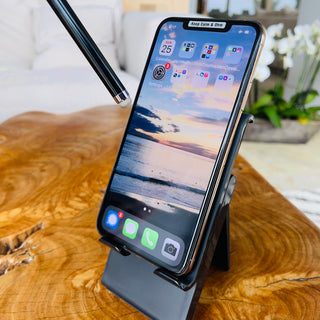
As with any EMF, the 5G millimeter Wave EMF dissipates with distance. If you have already purchased a 5G phone, try not to touch it. The further you are from it the better. Absolutely use airtube headphones to keep it from your body when you talk and a stylus and a stand to give you distance from the 5G EMF when you text.
The Stylus And Stand Combo




Liz
Yep, all the people saying this is BS never had to deal with 25 years of Doctors, Tests, and being told there is nothing wrong with you. I have a Mast Cell disorder. I react to cell phone and sometimes laptops. I was told I was crazy. I am not. We autoimmune types and cancer patients are the canaries in the coal mine. If you think it’s garbage… well, some people enjoy learning the hard way. There are even scientific articles to boot but they have been ignored by HHS for years. I hope and pray RFK, jr. will make moves on this.
Lu
Although this is a good overview, there are several things missing from the analysis. The FCC Human Exposure Guidelines for RF/MW Radiation of 2019 that were used for the rollout of 5G, were remanded back to them by the court in 2021 and the FCC and other government agencies who have done studies to prove it is safe, have failed, and as of January 2024, stopped any further studies as they have all actually been showing harm including brain damage, DNA damage and cancer. With the remand of the court in 2021, the FCC Guidelines left in place are based on data from 12 monkeys and 11 rats tested during the 1980’s with no frequencies over 6 GHz. Co-location of devices is not covered by most FCC device approvals. All this information is available on the websites of The Environmental Heath Trust and The Children’s Health Defense who brought 14,000 pages of proof of harm out in court. On the record. Harm, harm, harm!!!
Also note claims of a Sabrina Wallace, a survivor of NT2 human augmentation experimentation, that 5G phones can have plasmonic antennas, that convert power density and frequency into the THz range where they can communicate with your brain directly. Recent conventions in DC had data gathering equipment on display, that collected up to 2 THz. Your body’s biophotons are in the range of 400 – 1500 THz. Got a meter for those?
Also note that 5G failed to meet the program goal of 100 Mbps up and down, which was later lowered. This, while Fiber to the Premise (FTTP) is going up from 1,000 Mbps to 5, 000 Mbsp as what could have been, if the FCC had not changed the accounting rules in 2000 so that our utility subsidies could be diverted in to the wireless industry. See the case of the Irregulators for more info. Big Fail. Who chose wireless tech and for what reason?
bex
This is fearmongering full stop. These sorts of articles are manipulative and attempting to evoke certain emotions to force you to stay upset and stay on the page and topic for longer to sell you more advertisements and clicks. You do not need a faraday bag for your phone. You will not be in any sort of danger from waves like this and you do not need to follow this advice because it is built in a way to scare you and to use your emotions for their profit. If you are unsure and want to get a second opinion please contact either your local library as they can gather all sorts of books and references, or ask a neighbor or family member who is knowledgeable about the internet.
Patrick H.
Question, this may sound like a dumb question, but I notice the word “receiving” is being used vs. “transmit”, in the article section “Here’s How To Disable 5G MmWave Receiving on iPhone”.
In the section of the article, “Here’s How To Disable 5G MmWave Receiving on iPhone” instructions on disabling the “receiving”… is the “transmit” still able to be activated? And even if, ""Choose LTE" to disable the receiving from allowing data through the 5G millimeter wave".
Can the (i)phone still “transmit” on the 5G mmWave Frequencies, if “Choose LTE” is selected???
Like others have said, I want a newer phone for taking pictures/video, and overall performance. I could care less about the speed of how data is transmitted on the cellular network.
Patrick H.
Question, this may sound like a dumb question, but I notice the word “receiving” is being used vs. “transmit”, in the article section “Here’s How To Disable 5G MmWave Receiving on iPhone”.
In the section of the article, “Here’s How To Disable 5G MmWave Receiving on iPhone” instructions on disabling the “receiving”… is the “transmit” still able to be activated? And even if, ""Choose LTE" to disable the receiving from allowing data through the 5G millimeter wave".
Can the (i)phone still “transmit” on the 5G mmWave Frequencies, if “Choose LTE” is selected???
Like others have said, I want a newer phone for taking pictures/video, and overall performance. I could care less about the speed of how data is transmitted on the cellular network.